I was upgrading one Oracle Database from 12.2.0.1 to 19.23 on Windows platform manually.
While upgrading the time zone files (from 26 to 43) and running the utltz_upg_apply.sql it hangs while shutting down the database for the first time.
This is the last line displayed in the log file:
utltz_upg_apply is ready to update to RDBMS DSTv43 and will now restart the database in UPGRADE mode
After that the script is just hanging.
Reviewing the alert.log file, shows that utltz_upg_apply is shutting the database immediate, but the shutdown didn’t complete.
Database Windows Service is in the “Running” state.
If you tried to connect to the database as sys from another session, you will hang also.
I cancelled the time zone upgrade script, then I tried to shutdown the database service from the Widows “Services”, it tried to stop the database service for a while, and then ended up with error. The database service is now in the ‘Stopping” state.
So, I had to enforce the database shutdown and killing its service, through the following commands:
Open a command window as administrator
Get the Oracle Database process ID using the command:
sc queryex OracleServicePROD
Then kill this process using the command:
taskkill /PID 9636 /F
After that I started the database successfully ( I tested to stop/start it many times successfully away from the utltz_upg_apply script)
Then I did some research about why the utltz_upg_apply script may hang, I found the following oracle document:
Slow Timezone Data Upgrade When Executing DBUA in 19c (Doc ID 2921624.1)
That suggests running the datapatch program before upgrading the time zone files.
Although, I know that datapatch is running as part of the upgrade process, as it is clear from the following upgrade status report:

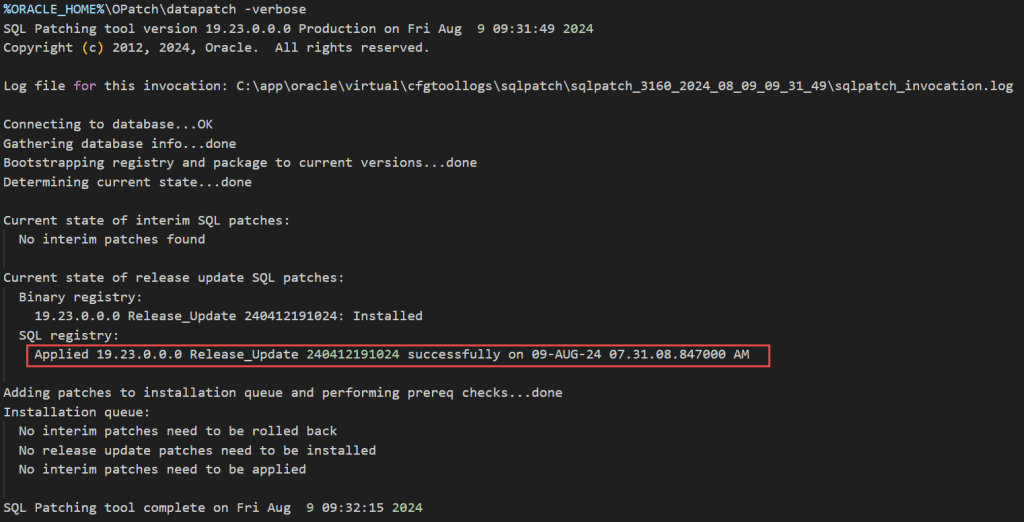
but I decided to go with this direction, and I run it manually again:
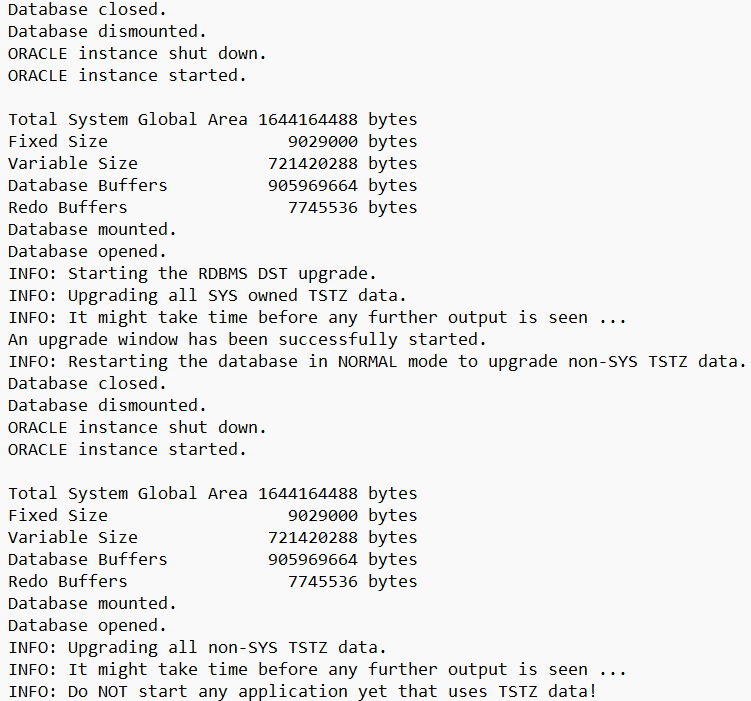
Now, I run the utltz_upg_apply script again, and this time it went fine:
Also, I found some oracle support documents for similar cases, I’ll post them here for reference:
DST Upgrade In 19c Hangs On utltz_upg_check.sql (Doc ID 2906783.1)
Patch 30681085: EXECUTE FIND_AFFECTED_TABLES IN PARALLEL IN UTLTZ_UPG_CHECK.SQL
Applying the DSTv43 update for the Oracle Database (Doc ID 3002390.1)
Tune Utltz_upg_apply.sql to be faster on a large Partitioned Table (Doc ID 2798245.1)
Bug 31940092 – Timezone Upgrade Script utltz_upg_apply.sql Takes Long Time (Doc ID 31940092.8)
https://mikedietrichde.com/2022/05/30/how-to-speed-up-datapatch-and-much-more-information/
I remembered also that the customer called me early for an dbua hang issue while he is doing the same upgrade through the dbua:

At that time I asked the customer to investigate the root cause of the issue, and resume the upgrade manually, but he asked me to restore the backup and recover the database and start again using the command line upgrade script. But as you see above, it is the case and error. dbua hangs while upgrading the time zone files.
So, it may be a good advise to run the datapatch just before upgrading the time zone file.
 Ahmed AbdelFattah Blog !