Background
I asked one of my colleagues to download the latest opatch patch, in preparation to patching one oracle database 19c home on Oracle Linux platform (8.8).
The old utility has version: 12.2.0.1.17

The latest downloaded utility has version: OPATCH_VERSION:12.2.0.1.40
Usually, I start by renaming the old OPatch directory, then extracting the new version under Oracle Home.
This what I exactly did, but when I tried to check the new utility version, I got the following errors:
opatch: line 839: [: too many arguments
opatch: line 839: [: too many arguments
Java (1.7) could not be located. OPatch cannot proceed!
OPatch returns with error code = 1

What may be the issue? and why the old version is working fine, and the latest one is not?
Is it an issue with the latest opatch release?
With a simple search, I found an oracle support document that explains a similar case:
‘opatch version’ fails with error : Java (1.x) could not be located. OPatch cannot proceed! (Doc ID 2571882.1)
This document mentions that the opatch utility was downloaded for a wrong platform (Linux instead of Linux x86-64).
I checked the downloaded opatch file name, it is: p6880880_190000_LINUX.zip. It should be p6880880_190000_Linux-x86-64.zip
This confirms our issue.
I asked my colleague to re-download the opatch again for the correct platform (Linux x86-64).
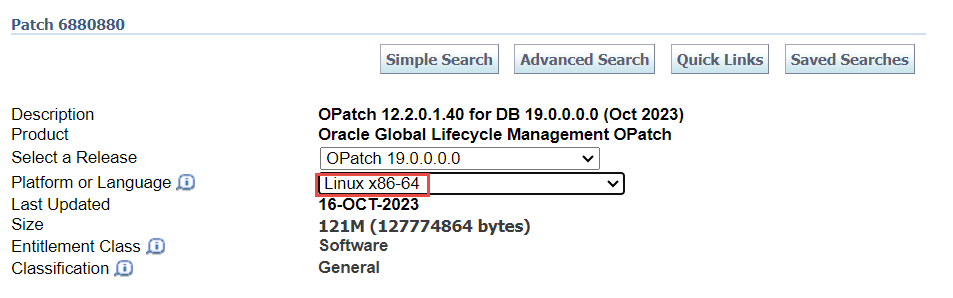
This fixed our issue.
 Ahmed AbdelFattah Blog !
Thanks!
LikeLike